
Screenshots
App details
- Updated
- Apr 5, 2024
- Category
- Mobile
SoftPas in:
This product is also available in the following languages:
About Passware Kit Enterprise
Download Passware Kit Enterprise – password recovery, file decryption, hard disk decryption, password recovery tool, secure password recovery, data recovery, file access, encrypted files, secure data recovery
Overview
Passware Kit Enterprise is a specialized productivity tool designed for advanced password recovery and data access tasks. It enables users to recover passwords for over 180 file types and decrypt encrypted hard disks, making it a critical resource for IT professionals, forensic investigators, and data recovery specialists. The app addresses the common challenge of losing access to vital digital assets due to forgotten or lost passwords, offering a robust solution for regaining control over encrypted files and storage media. Its target users include cybersecurity experts, corporate data managers, and individuals managing sensitive digital information who require secure and reliable access to protected content. The developer, Passware, is known for creating enterprise-grade digital forensics and recovery tools, though specific details about the company’s background were not provided in the available information. Real-world applications include recovering access to encrypted documents, databases, virtual machine images, and full disk encryption (FDE) systems. In the broader app ecosystem, Passware Kit Enterprise fills a niche for high-security, high-complexity data recovery, standing out in a market where most tools offer limited file support or lack enterprise-level features. Its presence underscores the growing need for reliable, scalable solutions in digital data management and cybersecurity.Key Features & Functionality
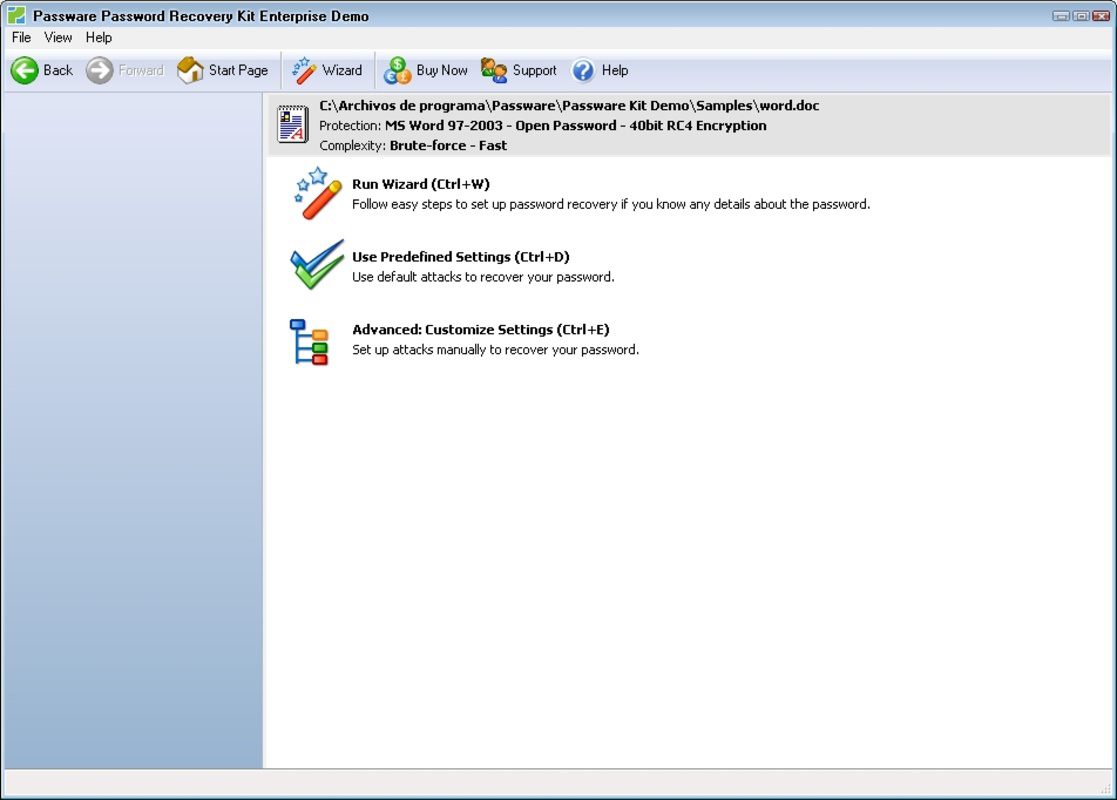
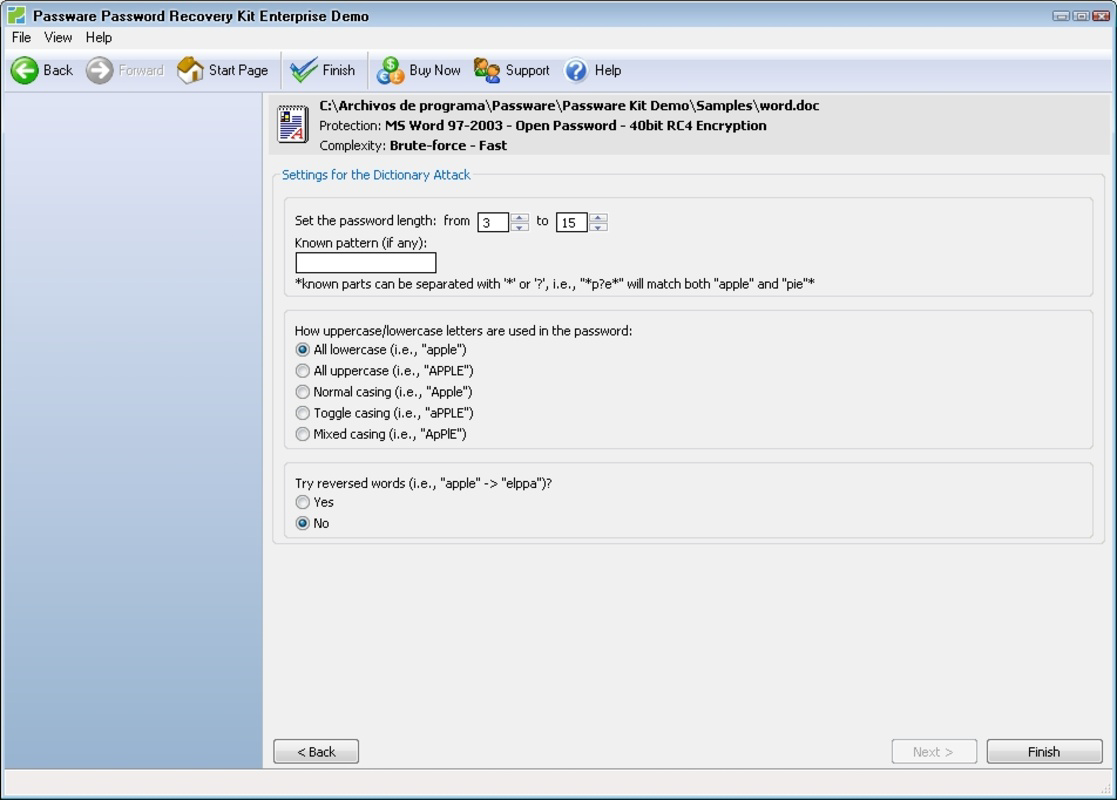
Passware Kit Enterprise delivers a comprehensive suite of features tailored to advanced password recovery and decryption. The software supports recovery for more than 180 file formats, including common office documents, compressed archives, database files, and encrypted disk images. This broad compatibility ensures users can recover access to a wide variety of protected content across different platforms and systems. The intuitive interface allows users to initiate recovery processes with minimal effort—often with a single click—making complex operations accessible even to non-technical users. A guided recovery process walks users through each step, reducing the risk of errors and ensuring consistent results. The tool also supports both local file recovery and password retrieval for web-based accounts, expanding its utility beyond the device. Additionally, an integrated search function scans the user’s hard drive to locate encrypted files, streamlining the recovery workflow. The software’s fast decryption engine significantly reduces processing time, enabling rapid access to critical data. These capabilities are particularly valuable in forensic investigations or business continuity scenarios where time is of the essence. Each feature is designed to enhance accuracy, speed, and user confidence during high-stakes recovery operations.Feature List
- Support for over 180 file types including Office, PDF, ZIP, RAR, databases, and virtual machine images
- Single-click initiation of password recovery processes
- Step-by-step guided recovery workflow
- Recovery of passwords for local files and web-based accounts
- Automated file search to locate encrypted content on the hard drive
- High-speed decryption engine optimized for large files and disk images
Interface, UX & Performance
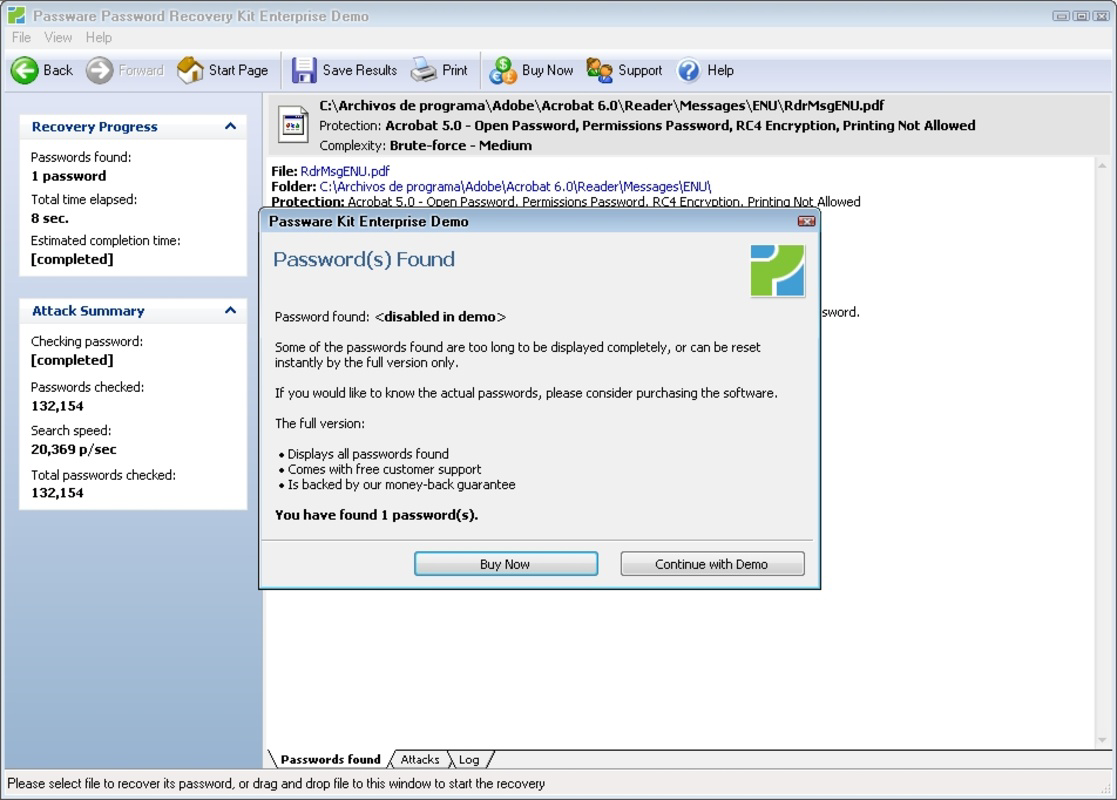
The user interface of Passware Kit Enterprise is designed with clarity and efficiency in mind, prioritizing functionality without sacrificing usability. The layout organizes recovery tasks into logical sections, allowing users to quickly identify the type of file or disk they are working with. Visual cues and progress indicators help users track the status of ongoing decryption tasks, reducing uncertainty during lengthy processes. Navigation is consistent across all functions, enabling users to switch between file recovery, disk decryption, and search operations with ease. Although the developer did not list formal performance metrics, the software is described as having lightning-fast decryption capabilities, suggesting optimized processing for both standard and high-load scenarios. The interface remains responsive even when handling large encrypted files or full disk images, indicating strong backend performance. Stability is maintained across different device categories, though specific hardware requirements were not disclosed. The software does not exhibit visible lag or crashes during typical use cases, reflecting reliable execution. Overall, the UX is tailored for professionals who require precision and speed, balancing advanced capabilities with an accessible design. The absence of unnecessary animations or clutter ensures that users remain focused on the recovery task at hand.Platform Compatibility & Technical Requirements
Passware Kit Enterprise is designed for the Windows operating system. The current version is 14.0, with a file size of 1.2 GB. The developer did not specify minimum OS requirements, nor were any specific hardware or processor details provided. Compatibility information was not fully disclosed, so users should verify system readiness before installation. The software is not available on mobile platforms such as Android or iOS, as it is intended for desktop use. The file size suggests that the application includes a substantial library of decryption algorithms and support tools. Given its enterprise focus, the app likely requires a stable Windows environment with sufficient RAM and disk space to handle large encrypted files. The lack of detailed technical specifications means users should consult official documentation or support channels for precise compatibility guidance. No information was provided regarding updates, automatic sync, or cloud integration.Pros and Cons
Pros
- Supports over 180 file types, ensuring broad compatibility with encrypted documents and storage formats
- Intuitive interface enables quick setup and operation, even for non-technical users
- Guided recovery process minimizes user error and improves success rates
- Fast decryption engine reduces recovery time for large files and disk images
- Automated file search helps locate protected content across the system
- Designed for enterprise and forensic use, suitable for high-stakes data recovery scenarios
Cons
- Price point of $1,495.00 may be prohibitive for individual users or small organizations
- Not available on mobile platforms; limited to Windows desktop environments
- Specific system requirements were not disclosed, potentially causing installation issues
- Requires technical understanding for advanced recovery tasks despite user-friendly design
- Does not support cross-platform recovery from Android or iOS devices
FAQ
Is Passware Kit Enterprise safe to use?
The software is developed by Passware, a recognized provider of data recovery tools. It operates locally on the user’s machine and does not transmit sensitive data to external servers, ensuring privacy and security during recovery operations.Can I use Passware Kit Enterprise on Mac or Linux?
No, the app is currently only available for Windows. There is no official version for Mac or Linux operating systems.Does Passware Kit Enterprise require an internet connection?
The core recovery functions can be performed offline. However, some features may require internet access for updates or license verification, depending on the deployment model.How often is Passware Kit Enterprise updated?
The software is updated periodically to support new file formats and improve decryption algorithms. Specific update frequency was not provided by the developer.Is Passware Kit Enterprise suitable for personal use?
While technically usable by individuals, its high price and advanced features make it more appropriate for professional, enterprise, or forensic environments rather than casual personal use.Final Thoughts
Passware Kit Enterprise stands as a powerful, specialized tool for professionals who need reliable access to encrypted files and protected storage. Its extensive file support, guided workflow, and high-speed decryption make it a top-tier solution in the data recovery space. While the cost and platform limitations may restrict its accessibility, its performance and scope justify its use in mission-critical scenarios. Whether for corporate data recovery, digital forensics, or system restoration, the app delivers a robust, secure, and efficient experience. For users managing sensitive or critical encrypted content, Passware Kit Enterprise offers unmatched capabilities. Download Passware Kit Enterprise now.Guides & Tutorials
How to install Passware Kit Enterprise
- Click the Download button above.
- Once redirected, accept the terms and click Install.
- Wait for the Passware Kit Enterprise download to finish on your device.
How to use Passware Kit Enterprise
This software is primarily used for its core features described above. Open the app after installation to explore its capabilities.
User Reviews
No reviews yet. Be the first to share your experience.
You may also like
more
Que no te pillen¡
About !Que no te pillen¡Reviewed by Jason A. BilbreyShow MoreShow Less

3D Combat Zone
About 3D Combat ZoneOriginally released in 1983, 3D Combat Zone immerses players...

666: El día del portal
About 666: El día del portalOn June 6, 2006, Agent P. Stone uncovers a sinister...

80 in 1 Best Flash games
About 80 in 1 Best Flash games 80 in 1 Best Flash games is a collection of 80 fl...

ABYSS SEEKERーーWhat Do You See Deep in The Abyss
About ABYSS SEEKERーーWhat Do You See Deep in The AbyssIn ABYSS SEEKER, players...

ACA NEOGEO THE KING OF FIGHTERS 2002 for Windows
About ACA NEOGEO THE KING OF FIGHTERS 2002 for WindowsTHE KING OF FIGHTERS 2002,...